Quick Macros main window.
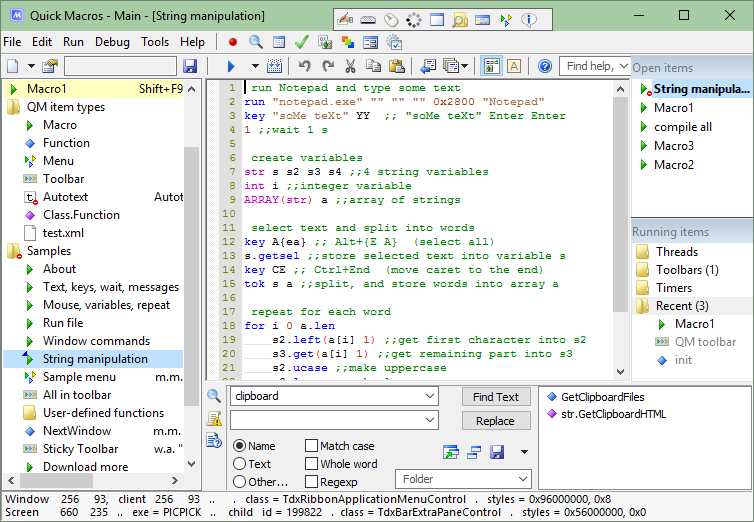
Lists of macro commands, functions, types, constants, variables, libraries, class members. You can use these and other lists in the macro editor.
control (UI objects)
|
dialog
|
file
|
flow
|
internet
|
keytext
|
math
|
mouse
|
multimedia
|
qm
|
script
|
string
|
sys
|
sysinfo
|
time
|
window
|
_debug
|
_operator
|
__declaration
|
__directive
|
__qm_dll
|
ARRAY
|
Acc (UI objects)
|
CsScript
|
Database
|
ExcelSheet
|
File (file read/write)
|
Ftp
|
Htm (web page elements)
|
HtmlDoc (HTML parsing)
|
Http
|
MenuPopup
|
Pop3Mail (get mail)
|
SmtpMail (send mail)
|
Sqlite
|
Tray
|
WindowText
|
ICsv
|
IStringMap
|
IXml
|
IXmlNode
|
Services.clsService
|
Globals (partial)
|
WINAPI (partial)
|
You can record keyboard, mouse and menu commands.

To add often used commands, you can use dialogs like these. Drag and drop to capture an UI object.

To launch macros, you can use various triggers.
- Hot keys. Examples: F12, Ctrl+Q, Ctrl+E+2.
- Mouse. Quick movements, screen edges, click, wheel. For example, you can use it to switch to next window, or show a custom menu.
- Window. Created, activated, name changed, etc. For example, can be used to automatically close annoying popup windows, configure settings in dialogs, fill web forms.
- Keyboard, mouse and window triggers can be set to work in all programs or only in some programs. Also you can set custom conditions.
- QM events. Startup, exit, menus, etc.
- File. Watch added/removed/renamed/modified files in a folder.
- Event log. Watch Windows Event Log messages.
- Process. Watch started/ended programs.
- UI object events. Focused UI object, clicked menu item, etc.
- Shell menu extension. Right click a file in Windows Explorer and run a QM macro that is added in the menu.
- Windows Task Scheduler tasks. Schedule macros to run at specified dates/times.
- Windows shortcuts.
- Command line. Run macros from other programs.
- Custom toolbars and menus.
- Run from Quick Macros.

You can create toolbars and popup menus. Attach toolbars to windows. Create auto-hide toolbars.

You can convert macros to programs (exe files) that can run on computers without Quick Macros.

You can create dialogs.

Debugging. Step mode, breakpoints, function call stack, variables.
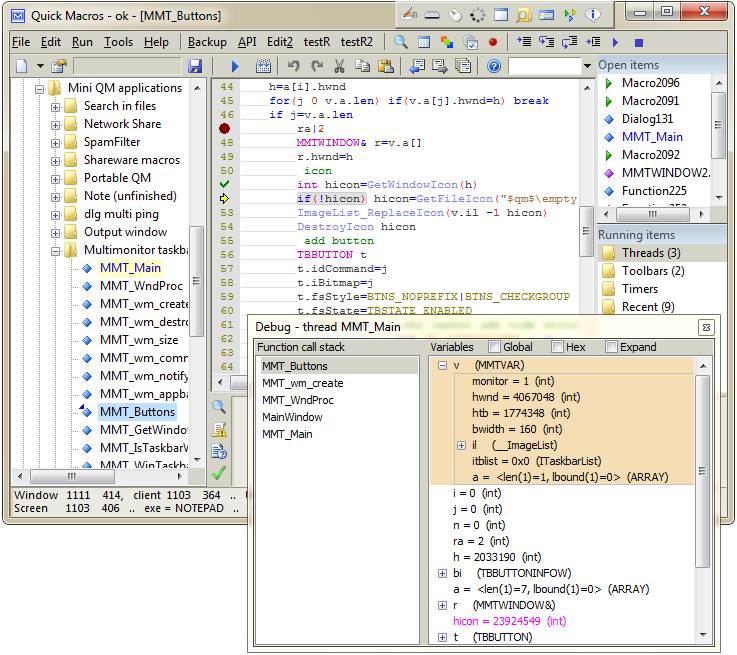
You can quickly find tool dialogs, functions and help. Type a question...

Programmers can use Windows API in QM as easily as in C/C++. The programming language has everything for Windows programming. Over 30000 dll functions, user-defined types, constants and COM interfaces are predeclared. Other declarations can be downloaded separately. Supports pointers, callbacks, etc.
Text autocompletion or replacement as you type an abbreviation (short text). It works in any application.
Multiple threads. Several independent user-defined functions can run simultaneously.
Run some macros in separate processes. By default, macros run in QM process.
QM works well on Vista/7/8. It can run with various UAC integrity levels. Macros can run with different integrity levels.
QM can be installed in a USB drive as a portable app.
Run macros on other network computers where QM is running.
Temporarily unlock computer to run a macro. Disable keyboard and mouse.
Use international characters (Unicode). QM uses UTF-8 text encoding.
Encrypt macros.
Macros are stored in single file, but you can use multiple macro list files. Export and import macros.
Various tools. Type library and ActiveX control browser, icon tools, process/window/control tree, and more.
Extend QM. Add new functions, classes, triggers, use various libraries. Add more features to triggers, toolbars.
Remap keyboard keys.